Skip to content
Faktar

User guide

From creating your account to your first reminder: the key steps, illustrated.

1 / 8

Create your account and company

  1. 1

    Click "Free trial" and enter your company, your name and your email.

  2. 2

    In Settings › Company, add your logo, tax ID, address and bank details.

  3. 3

    In Settings › Taxes, check your VAT rates, stamp duty and withholding tax.

  4. 4

    In Settings › Numbering, choose the format of your numbers (e.g. FAC-2026-0001).
2 / 8

Add your customers and products

  1. 1

    Contacts › Customers › New: name, phone (for WhatsApp), email, city, tax ID.

  2. 2

    Catalog › Products › New: name, sale price, purchase price, VAT rate.

  3. 3

    Tick "Track stock" and set a minimum stock to be warned before running out.

3 / 8

From quote to invoice

  1. 1

    Sales › Quotes › New: choose the customer, add the items, save.

  2. 2

    Send the quote by WhatsApp or email straight from the document.

  3. 3

    Quote accepted? "Convert" it to a delivery note, then an invoice: nothing is typed twice.

  4. 4

    Validate the invoice: it gets its final number and the stock is updated.

From quote to invoice

4 / 8

Collect payments

  1. 1

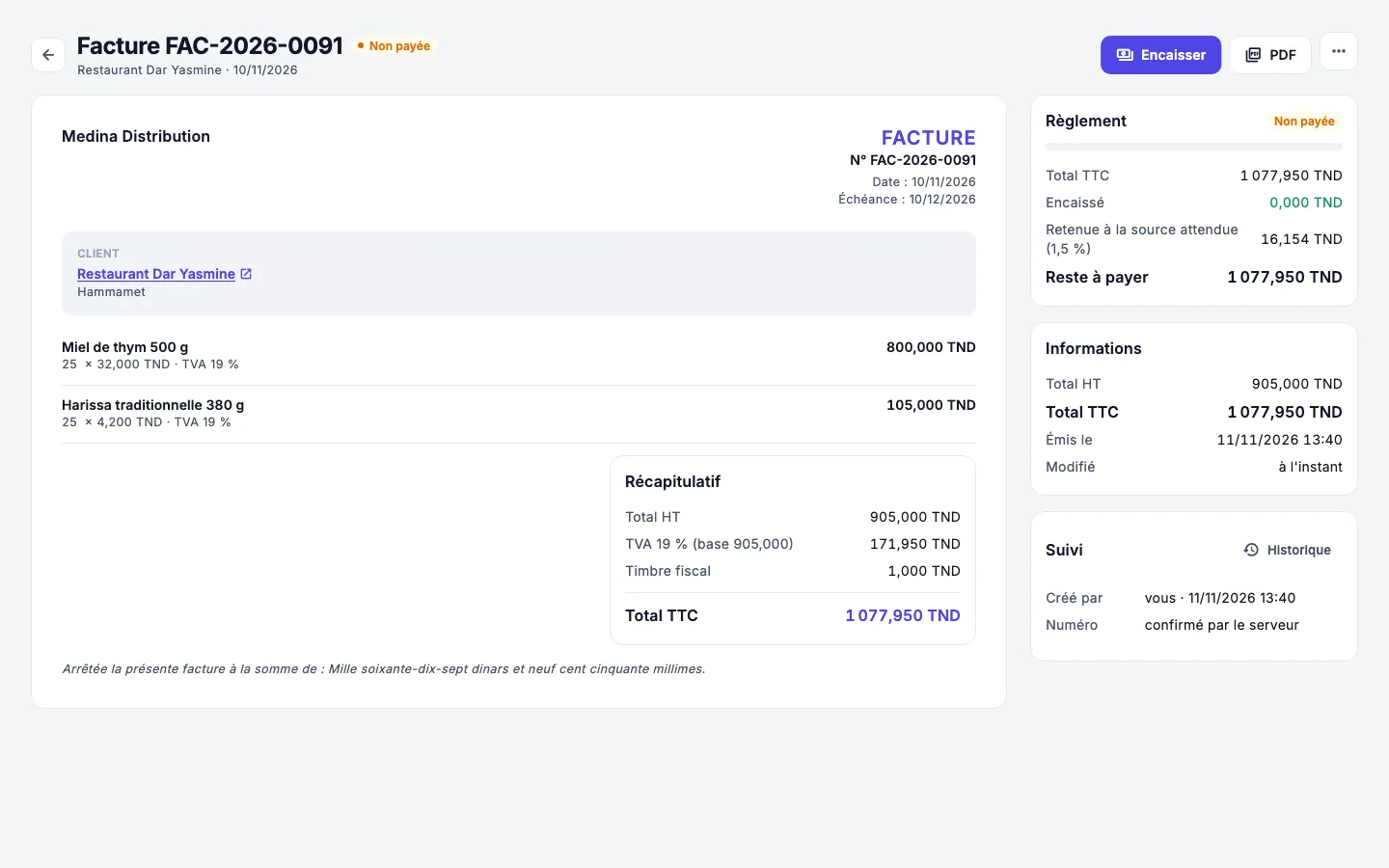
    On the invoice, "Collect": cash, check, bill of exchange, transfer or withholding tax.

  2. 2

    A check stays "in portfolio" until it is deposited, with its due date.

  3. 3

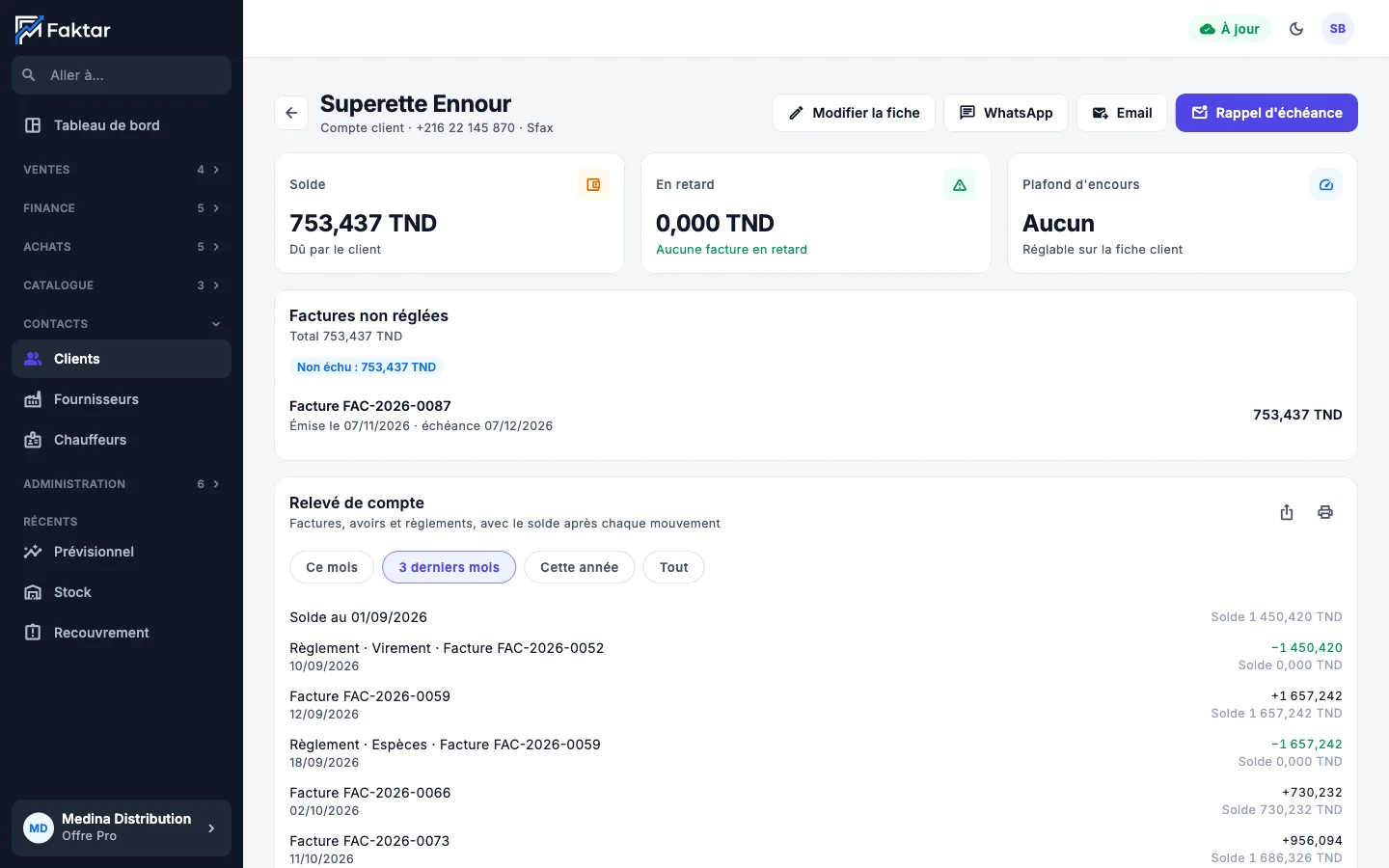
    The customer's account shows their balance, unpaid invoices and statement.

Collect payments

5 / 8

Follow up and build loyalty

  1. 1

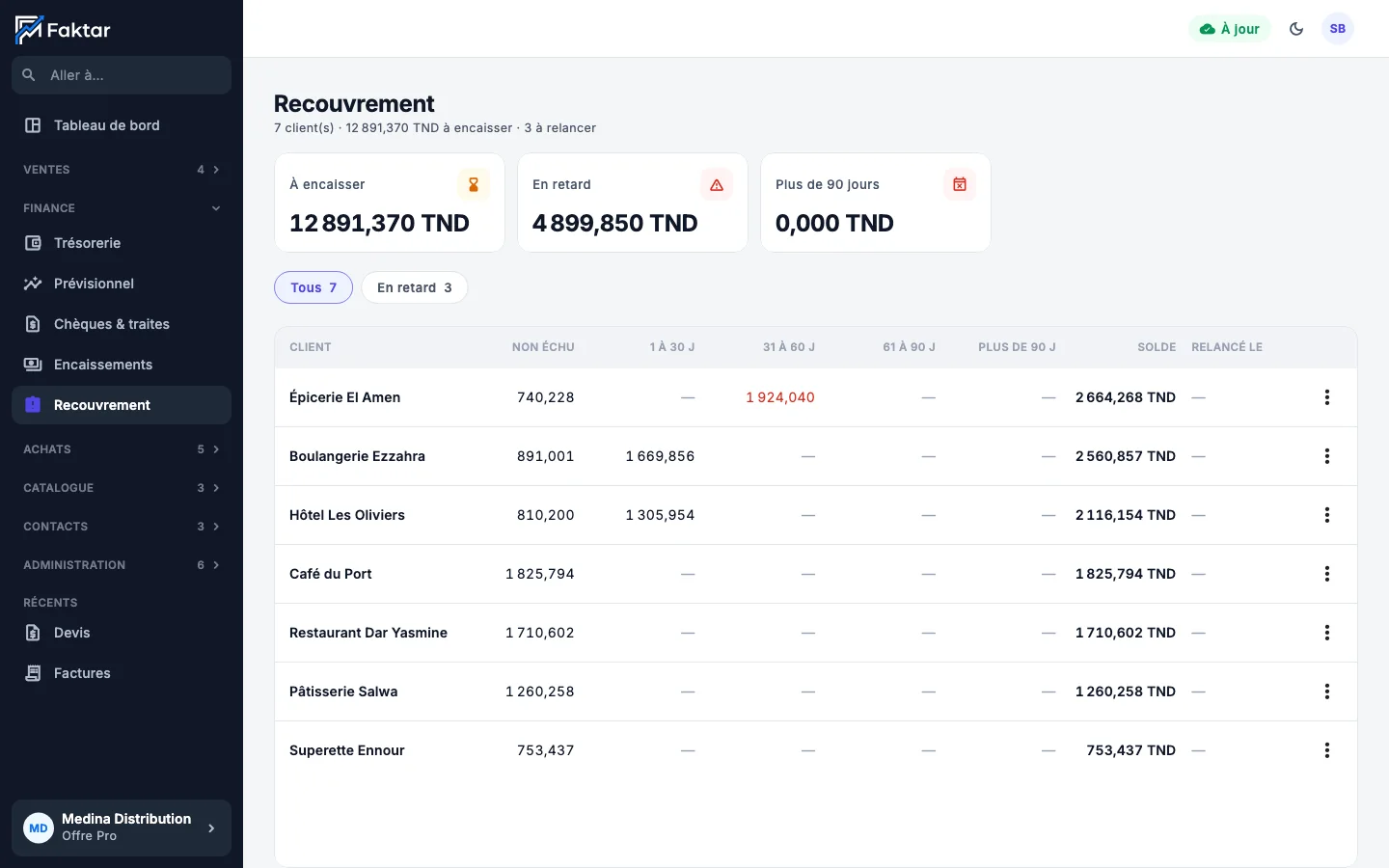
    Finance › Collections: your customers by age of debt, the late ones first.

  2. 2

    Open a customer and click "WhatsApp": the reminder is already written.

  3. 3

    In Settings › WhatsApp and Email, schedule automatic reminders before the due date.

  4. 4

    For holidays and new products, use bulk messages with the ready templates.

Follow up and build loyalty

6 / 8

Invite your team

  1. 1

    Settings › Users › Add: name, email and a starting password.

  2. 2

    Choose what the person can view, create, validate or cancel, item by item.

  3. 3

    Limit them to their branch, warehouse and cash register if needed.

  4. 4

    Follow their activity in each document's history.

7 / 8

Steer with the dashboard

  1. 1

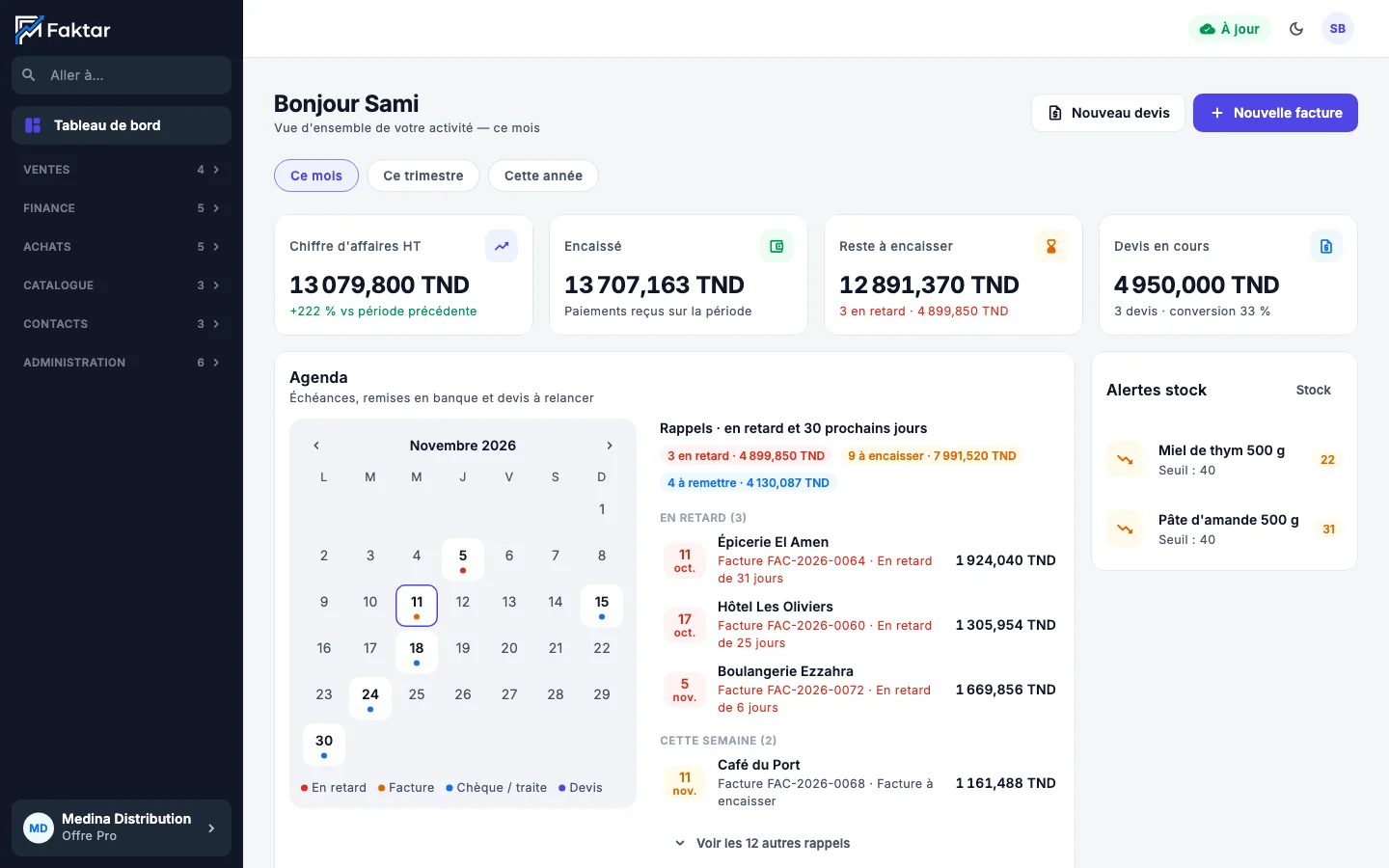
    Pick the period: this month, this quarter or this year.

  2. 2

    The calendar gathers due dates, checks to deposit and quotes to follow up.

  3. 3

    Finance › Forecast shows the cash of the coming weeks.

Steer with the dashboard

8 / 8

Install on your phones and PCs

  1. 1

    Download Faktar from the App Store, Google Play, Windows or Mac (Download page).

  2. 2

    Sign in with the same email: your data arrives, the essentials first.

  3. 3

    Offline, keep working: everything syncs when the network is back.

Ready to sell more this week?

Create your account in 2 minutes and send your first invoice today. Our team is here if you need us.